This page explains what an Error 2 or communication error means and how to fix it.
What does Error 02/08 mean?
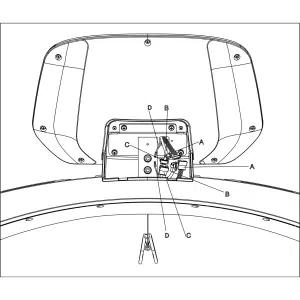
Reason 1: Communication cable fault. The communication cable is how data is sent from the motor to the treadmill screen. The cable is located inside the right upright post of the treadmill base. It can sometimes become trapped or twisted causing the error to show up.
Reason 2: Out-of-date software. If the software which communicates with the MCB (motor control board) is not up-to-date, it can cause a communication error.
Reason 3: Misaligned system parameters. If the system or communication parameters are incorrect, it can lead to communication issues.
Reason 4: Fault in the Motor Control Board (MCB). The MCB has a fault and cannot communicate with the screen.
How to fix an Error 02/08 or communication error
Fix 1: Connections
Using the instructions in the assembly video below, please complete the following:
Unplug and replug in the screen connectors behind the screen to ensure the connection is successful
If this doesn’t solve the issue, remove the screen and the console frame
Locate the communication cable that is inside the right upright post
Unplug and replug the cable in to ensure the connection is successful
Inspect the cable for any damage to the main body of the cable and at either end
Beep testsThe beep test checks if the screen is able to communicate with the MCB.
1) With the machine on but not running: Pressing the speed increase or decrease button should give 2 beeping sounds.
2) With the machine on belt moving: Pressing the speed increase or decrease button should give 1 beeping sounds.
If this does not solve the problem or you notice some damage to the cable, please create a support ticket with the photo attached and someone from our team will be able to help.
Fix 2: Software version check
It is essential to ensure the software is always up to date. The system will try and automatically update however you can check the software versions and start an update manually by following this guide:
As the software settings get optimised from time to time during software updates, it is worth checking that the settings are indeed correct. The setting can be checked by following this guide:
If the MCB is faulty a new MCB will need to be provided. The NoblePro team will provide this to you either free of charge (if within warranty time period) or at cost (if outside warranty time period).