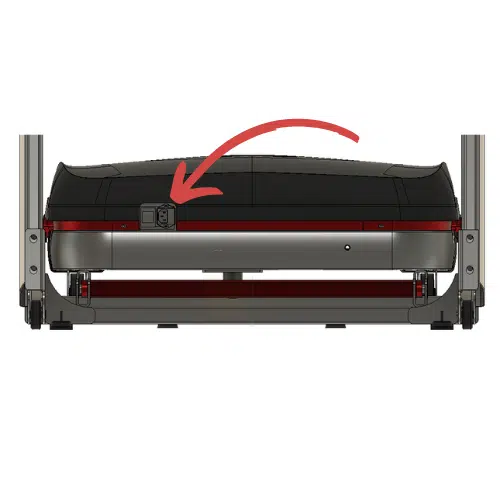
This page will help you troubleshoot if your NoblePro treadmill screen is blank and not turning on.
Answer the questions below to pinpoint the most likely cause and the next step to try. If you reach the end and it’s still not fixed, you’ll be guided to submit a Technical Support Ticket with a summary of what you’ve already checked.
Is the red light on the base on?
View all troubleshooting steps
- Is the red light on the base on?
- Yes → Does the Motor Control Board (MCB) have LED’s that are on?
- No → Which best describes what happened?
- Which best describes what happened?
- Treadmill went off during a run → Check the electricity has not tripped
- Treadmill counted down 3,2,1 then powered off → Check the electricity has not tripped
- Treadmill just didn’t come on upon start up → Check the electricity has not tripped
- Check the electricity has not tripped
- Done → Check the power input fuse
- Check the power input fuse
- Done → Try a different power cable and/or wall socket
- Try a different power cable and/or wall socket
- Done → Check the following:
- Check the following:
- Belt lubrication
- Belt tension/alignment
- Motor belt tension (under the motor cover)
- Next → Solved?
- Does the Motor Control Board (MCB) have LED’s that are on?
If the treadmill ‘beeps’ on start-up but the screen stays blank, continue with these checks.
- Yes → Check the cable connections
- No → Is the Motor Control Board (MCB) wired correctly and getting power?
- Check the cable connections
- Solved → Nice — that should be sorted ✅
- Not solved → Does the screen board have LED’s that are on?
- Does the screen board have LED’s that are on?
- Yes → Does Bluetooth control the treadmill?
- No → Next step: submit a Technical Ticket
- Does Bluetooth control the treadmill?
- Yes → Check the cable connections
- No → Next step: submit a Technical Ticket
- Is the Motor Control Board (MCB) wired correctly and getting power?
- No → Check the installation instructions
- Yes → Replace the Motor Control Board (MCB)
- Check the installation instructions
- Next → Solved?
- Replace the Motor Control Board (MCB)
- Next → Solved?
- Solved?
- Yes → Nice — that should be sorted ✅
- No → Next step: submit a Technical Ticket
- Nice — that should be sorted ✅
If the issue returns, run through this again and include the summary in your message to support.
- Start over → Is the red light on the base on?
- Next step: submit a Technical Ticket
Use the summary below when you contact support.
- Open Help / Ticket page Open
- Start over → Is the red light on the base on?
Back
Reset
Copy summary
Summary copied
Select and copy the summary above
Read supporting article
Supporting information
Open
View all troubleshooting steps
Troubleshooter
Continue
Version