The E10i support in-app screencasting and screen mirroring. The steps below will guide you through how to screen mirror your treadmill screen to a compatible network display using Google Home.
Casting or Mirroring?It is important to remember, even though it is called Chromecast, we are discussing screen mirroring (duplicating your screen) only. Read more
How do I connect my devices?
Download and Install the Google Home app from the Aurora Store
Open the Google Home app once installed
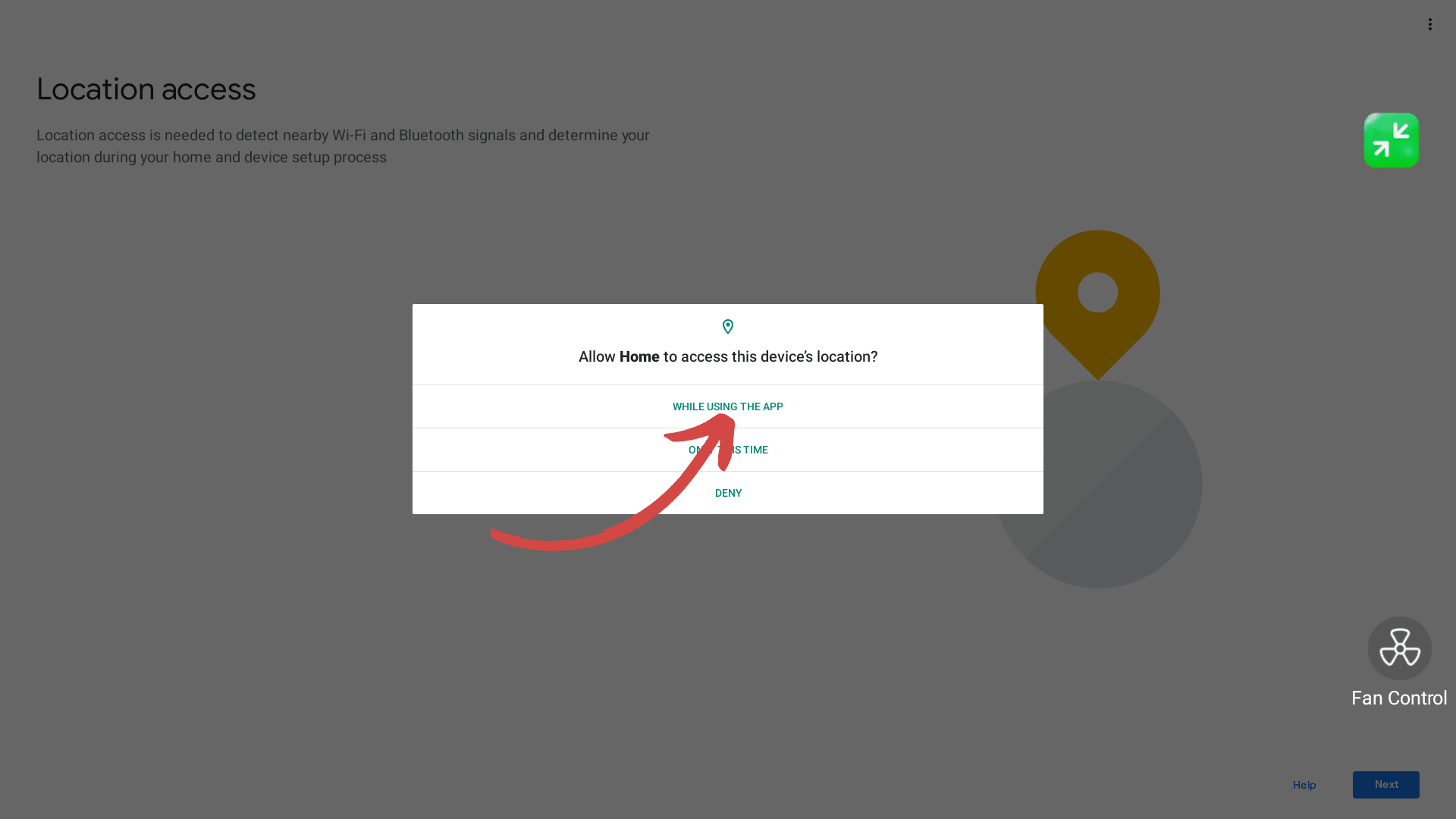
Allow Home to ‘Access this devices location while using the App’
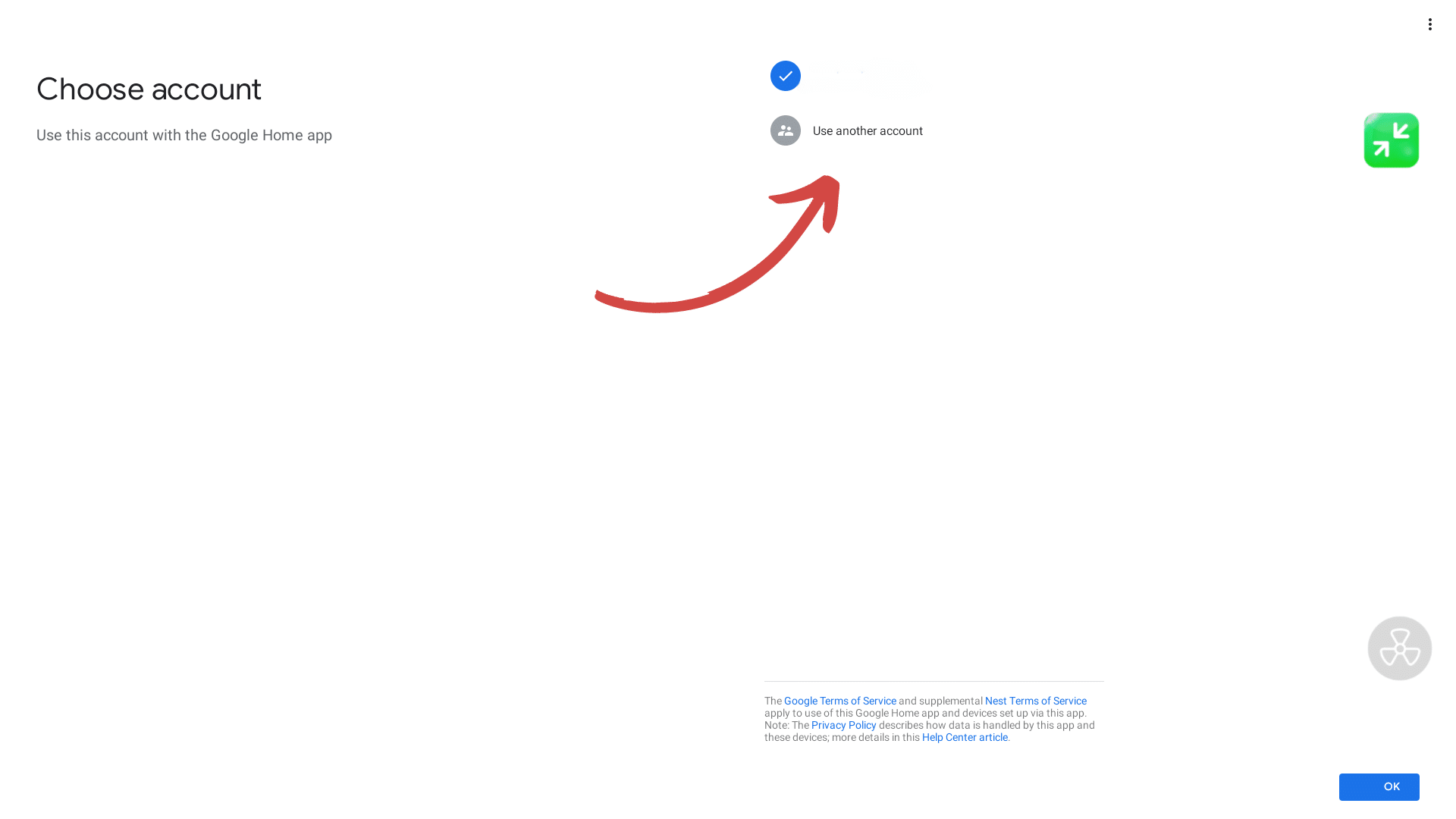
Sign in to your Google Account
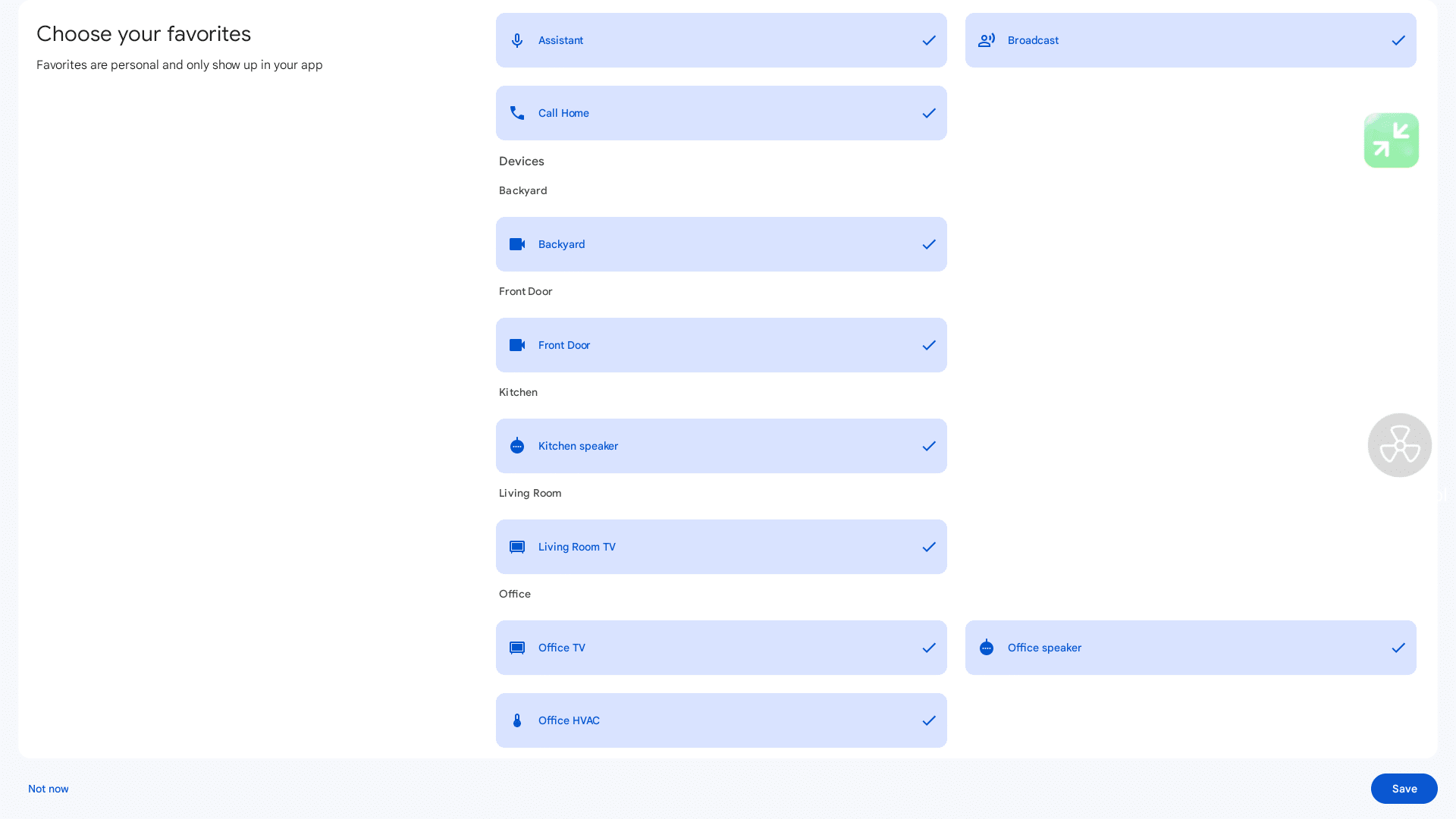
Select the device you want to share the treadmill screen to e.g. Office TV
Select Cast my Screen (don’t forget, this is mirroring!)
Follow the on-screen instructions to confirm screen sharing mode
Minimise Google Home and off you go!
Stop MirroringYou can stop screen mirroring in the same way through the Google Home App.